

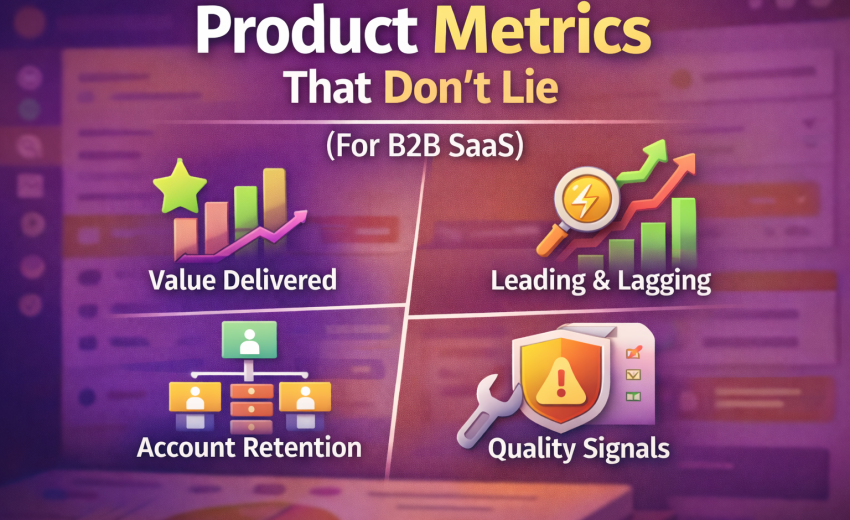
Most B2B SaaS teams don’t have a “lack of data” problem. They have a trust problem. The dashboard looks impressive, the charts go up and down, and yet nobody can confidently answer: Are customers getting value? Are we building the right things? Will revenue grow predictably?
The issue is that a lot of “product metrics” are either vanity, too lagging, or too noisy to guide decisions. If your product is used by businesses with multiple roles, approvals, and messy workflows, your metrics must reflect that reality.
This post is a practical metric system for B2B SaaS that helps you avoid self-deception.
Why B2B metrics are different (and why most teams get them wrong)
B2B products are rarely “one user, one habit.” They’re more like one account, multiple roles, multiple workflows, and adoption is often mandated (or at least influenced) by leadership. That creates three common traps:
- Seat-based metrics lie. You can have 200 seats and 15 people actually using the product.
- Logins are meaningless. Users can “log in” because they had to check something, not because they succeeded.
- Revenue is too late. By the time churn shows up in revenue, the product problem is already old.
So what should you track?
The simplest answer: Track value delivery through workflows, not features.
1) Start with a North Star that reflects “value delivered”
A B2B North Star should be a measurable output that happens when customers successfully use the product for its intended job. It must be:
- Frequent enough to move weekly
- Correlated with retention/revenue
- Hard to fake
- Tied to an actual workflow outcome
Examples (pick one per product line):
- Accounting SaaS: # of invoices posted + paid, or $ value processed with low error rates
- Logistics SaaS: # of shipments completed, on-time delivery rate, documents generated
- HR SaaS: # of hires completed, time-to-fill, offers accepted
- Support SaaS: # of tickets resolved, first response time, CSAT
Bad North Stars:
- Total signups
- Total logins
- Page views
- “Active users” with a weak definition
A good North Star isn’t “usage.” It’s “successful usage.”
2) Separate Leading vs Lagging metrics (so you don’t drive using the rearview mirror)
You need both, but you must treat them differently.
Lagging metrics (good for health checks, bad for steering)
- Revenue / ARR
- Churn (logo and revenue)
- NRR / GRR
- Gross margin
These tell you what happened after the fact.
Leading metrics (good for steering)
- Activation rate (accounts reaching “first value”)
- Adoption depth (workflows completed, not clicks)
- Time-to-value
- Repeat usage of core workflows
- Reliability and performance metrics (because B2B users quit silently when performance sucks)
If you want to act early, you need leading indicators that correlate with retention and expansion.
3) Define Activation like an adult (not “created an account”)
Activation in B2B is “the account reached first value.” It should be a multi-step milestone that proves the product actually works for them.
A strong activation definition typically includes:
- Setup completed (min requirements)
- At least one real entity created (customer/product/project)
- At least one end-to-end workflow completed (the real job)
Examples:
- Accounting: Setup taxes + create customer + create invoice + post invoice
- Logistics: Create shipper/consignee + create shipment + generate documents + mark milestone
- HR: Add hiring pipeline + add role + publish job + process 1 candidate stage
Measure:
- Activation Rate = % of new accounts that hit activation within X days
- Time-to-Activation (median + p90)
- Activation Step Drop-off (which step kills them)
Brutal truth: if your activation takes weeks, your product will rely on customer success heroics. That does not scale.
4) Track Adoption by workflow depth, not feature usage
Feature usage is tempting because it’s easy to measure, but it often leads to bad conclusions. A customer might use “Reports” 100 times because they’re confused, not because they’re successful.
Instead, define workflow adoption tiers. For each core workflow, define what “basic”, “standard”, and “advanced” looks like.
Example: Invoicing workflow
- Basic: Draft invoice created
- Standard: Invoice posted + sent
- Advanced: Invoice paid + reconciled + recurring invoices used
Measure:
- % accounts reaching each tier
- Average time between tiers
- Drop-off reasons (qual + quant)
This tells you whether customers are graduating into deeper value—something that correlates strongly with retention.
5) Measure retention at the account level (and segment by role)
In consumer apps, user-level retention is often enough. In B2B, you need:
Account-level retention
Define “active account” as an account that completed a core workflow in the period.
- Weekly Active Accounts (WAA) / Monthly Active Accounts (MAA)
- Retention by cohort (accounts created in same month)
- “Core workflow frequency” per account
Role-based engagement (secondary)
Track usage by role to catch adoption gaps:
- Finance team uses it, ops doesn’t
- Manager uses dashboards, staff avoids daily workflows
- Admin is active but actual operators are not
Why this matters: churn often starts as role adoption failure. The champion can’t get the rest of the org to use it.
6) Product-qualified leads for B2B: PQA, not PQL (and not “trial started”)
Marketing loves leads. Sales loves pipeline. Product needs something more honest:
Product-Qualified Account (PQA): an account that demonstrates strong buying signals through usage and engagement, not just interest.
Signals (pick 4–6 that match your product):
- Completed activation
- Invited additional users (multi-seat proof)
- Hit workflow volume threshold (e.g., 20 invoices, 10 shipments)
- Used advanced features that imply seriousness (roles/permissions, integrations, exports)
- Returned across multiple weeks
- Low error rate / low support dependency
Then measure:
- PQA rate by acquisition channel
- PQA → paid conversion rate
- Time from PQA to close
This is where product and revenue alignment becomes real, because you can see which behaviors predict buying.
7) Expansion and NRR drivers: track “adoption expansion,” not just upsells
NRR doesn’t magically happen. It usually comes from:
- more seats
- more volume
- more modules
- higher tier features
To make expansion predictable, track the adoption behaviors that precede it:
- Seat expansion: invitations accepted + role distribution
- Volume expansion: workflow volumes rising over time
- Module expansion: second workflow adopted (e.g., invoicing → inventory → purchase)
- Integration expansion: accounting sync enabled, API usage, webhooks, etc.
A useful metric:
- Expansion Readiness Score (a simple composite of adoption signals)
Use it to prioritize customer success and sales plays.
8) Reliability metrics are product metrics (because broken product kills retention)
B2B users don’t complain loudly. They silently stop trusting the system and go back to Excel. So reliability must sit next to adoption in your product dashboard.
Track:
- p95 page load time (core screens)
- API error rate
- Failed background jobs (imports, syncs, emails)
- Timeouts and retry rates
- “Save failures” on forms (this is lethal)
- Incident count affecting core workflows
Tie reliability to business impact:
- “Checkout failures per 1,000 attempts”
- “Invoice post failures per day”
- “Sync lag in minutes”
If performance is bad, your activation and retention metrics become noise because the product isn’t stable enough to measure fairly.
9) Support and product friction: measure pain, not just tickets
Ticket count alone is misleading. The best metric is friction per successful workflow.
Examples:
- Tickets per 100 invoices posted
- Tickets per 100 shipments completed
- Refund requests per 1,000 transactions
- “Help clicks” and “error dismissals” per workflow
Also track:
- Top recurring issues (categorize properly)
- Time-to-resolution for workflow-blocking issues
- Self-serve success rate (knowledge base solves)
A product that requires constant support is not a product, it’s a service.
10) A minimal “metrics stack” you can run weekly
If you want a dashboard that doesn’t lie, keep it tight. Here’s a practical weekly set:
Value Delivery
- North Star (workflow success count / value)
- Workflow completion rate (attempt → success)
- Time-to-value (median and p90)
Adoption
- Activation rate (within 7/14/30 days)
- % accounts at adoption tiers (basic/standard/advanced)
- Weekly active accounts (core workflow definition)
Retention & Revenue Predictors
- Cohort retention (account-level)
- PQA rate and PQA → paid conversion (if you have trials)
- Expansion readiness score (or module adoption rate)
Quality
- Save failure rate / form errors
- p95 load time on core screens
- Incident count impacting core workflows
- Tickets per 100 successful workflows
That’s it. Anything beyond this should earn its place.
11) The “don’t lie to yourself” rules for product metrics
Here are the rules that keep you honest:
- Metrics must map to workflows. If it doesn’t map, it’s entertainment.
- Define success. Count completed outcomes, not attempts.
- Measure at account level first. Users come and go; accounts pay.
- Segment or you’re blind. By plan, industry, size, onboarding path, and role.
- Quality is part of product. Slow/broken product corrupts all other metrics.
- Pick fewer metrics but enforce definitions. If definitions drift, metrics die.
Closing: what to do next (practical steps)
If you want to implement this in a real team, do this in order:
- Write your core workflows (3–7) on one page.
- Define North Star as a successful workflow outcome.
- Define Activation as “first value” milestone.
- Build adoption tiers for each workflow.
- Track account-level retention using workflow completion.
- Add reliability + friction next to adoption.
- Review weekly with a simple agenda: what changed, why, what we do next.

February 12, 2026